Embedded QR Scanning Appliance
A camera-based scanning appliance that connects QR codes to industrial part-information workflows.
Python application development and embedded integration
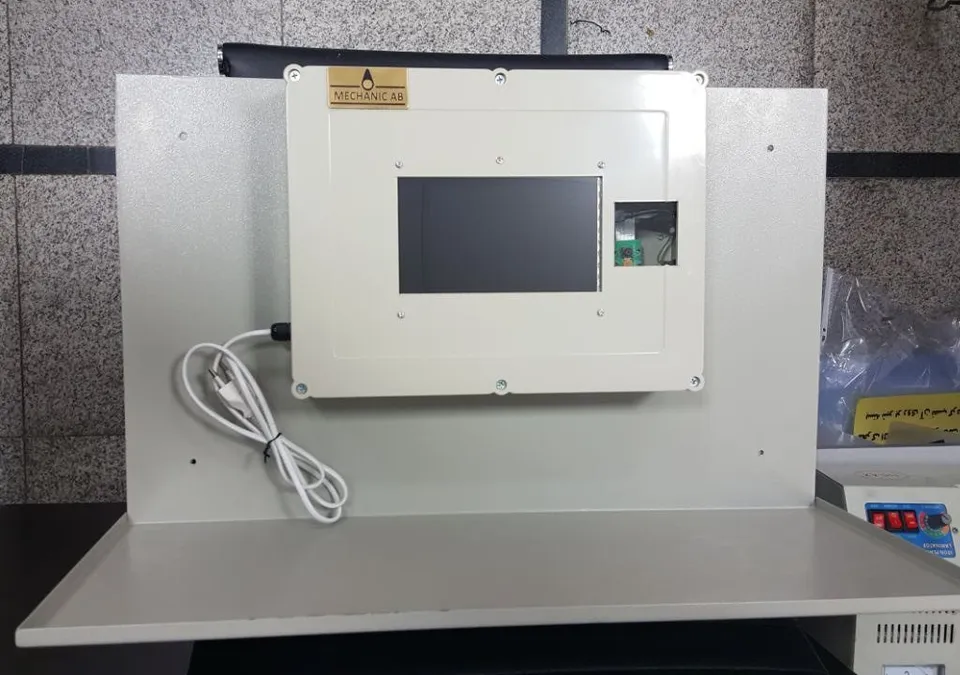
What stands out.
- Camera scan to production build sheet
- Touch-enabled industrial terminal
- Remote device status & maintenance
From the problem to the implementation.
The problem
Operators need a straightforward way to identify parts and reach their records without navigating a general-purpose computer.
The approach
- Developed the Python application and PyQt scanning interface.
- Integrated OpenCV, a Raspberry Pi camera and GPIO-driven device functions.
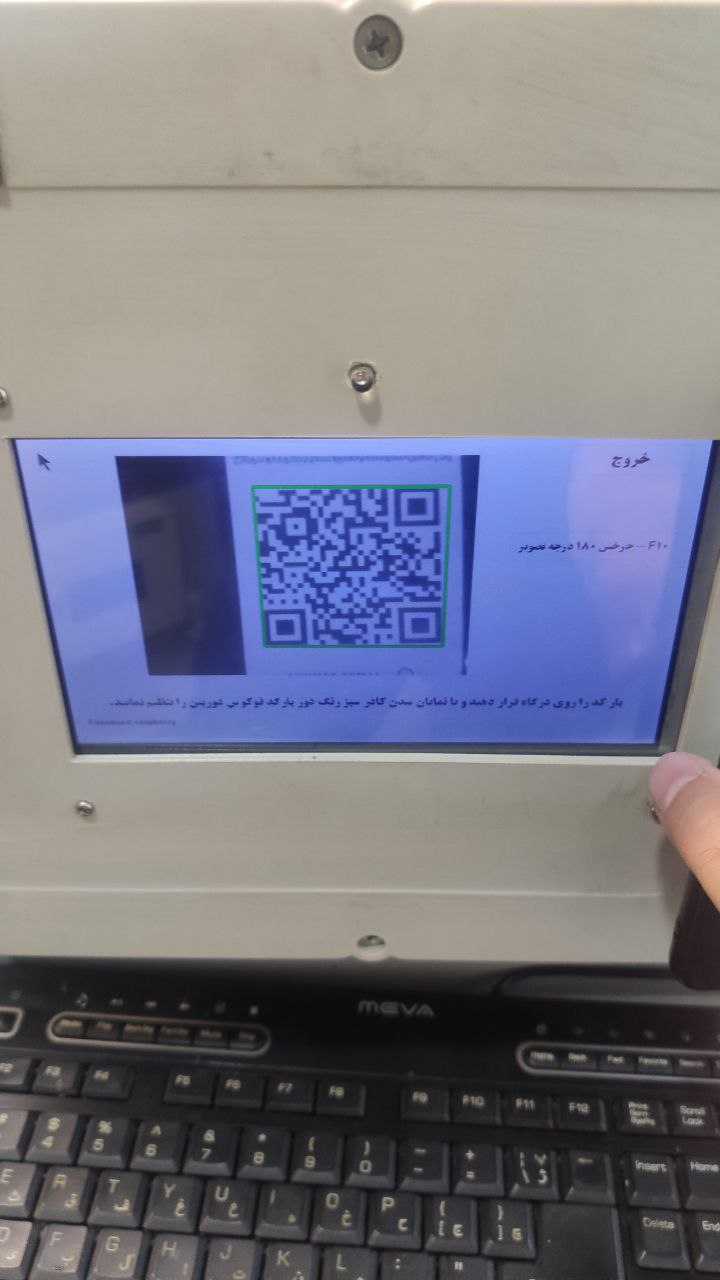
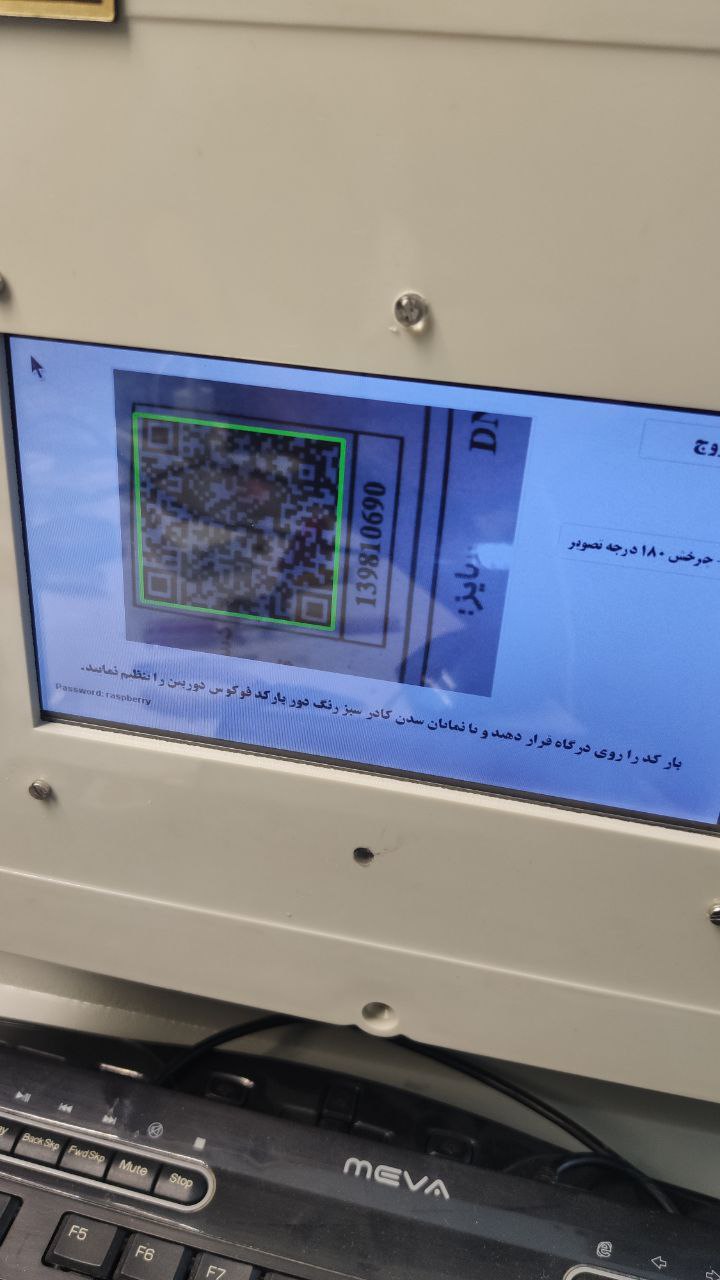
- Added operator controls for scanning, camera focus and image orientation.
What came together
A dedicated scanning workflow connecting camera input, operator controls and local-network information.
Inside the project
6 images
 Enlarge image
 Enlarge image
 Enlarge image
 Enlarge image
 Enlarge image
 Enlarge image
See it in action
Building the scanning device
Device-design and setup demonstration. Silent demonstration.
Open videoNetwork status & device controls
Device status and configuration through the network panel. Silent demonstration.
Open videoHow the system works
Select a block to explore its role.
A guided illustration of the system components.
Product document
A QR code identifies the part or production record.
Camera and scan UI
Raspberry Pi, Pi Camera and Python/PyQt provide the operator interaction.
Local-server lookup
The scan leads to the product page and associated build sheet.
Task update
The worker browses and edits production information using touch or peripherals.
Device administration
A network panel provides device status, commands and settings.
The detail behind the build
Production records at the workstation
Workers scan a product document to open the matching record from a local server, then update the part build sheet as tasks are completed. The terminal connects a camera-based input to the production-information workflow.
The operator journey
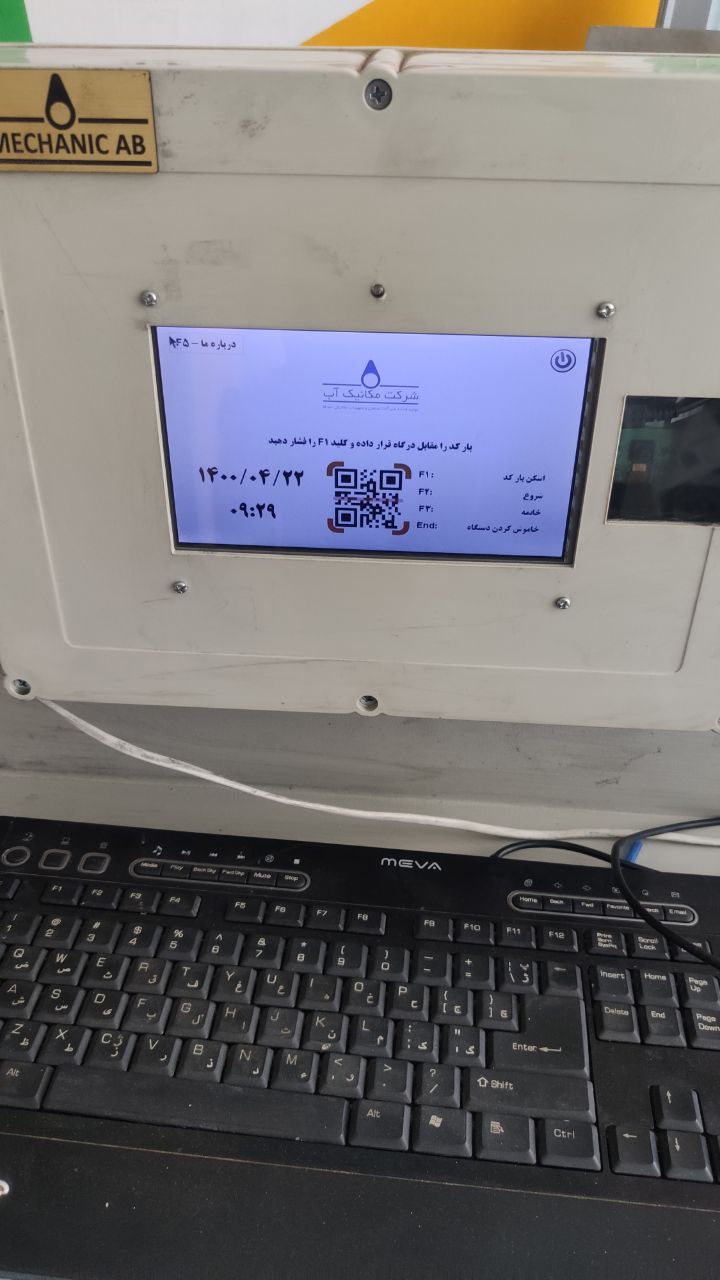
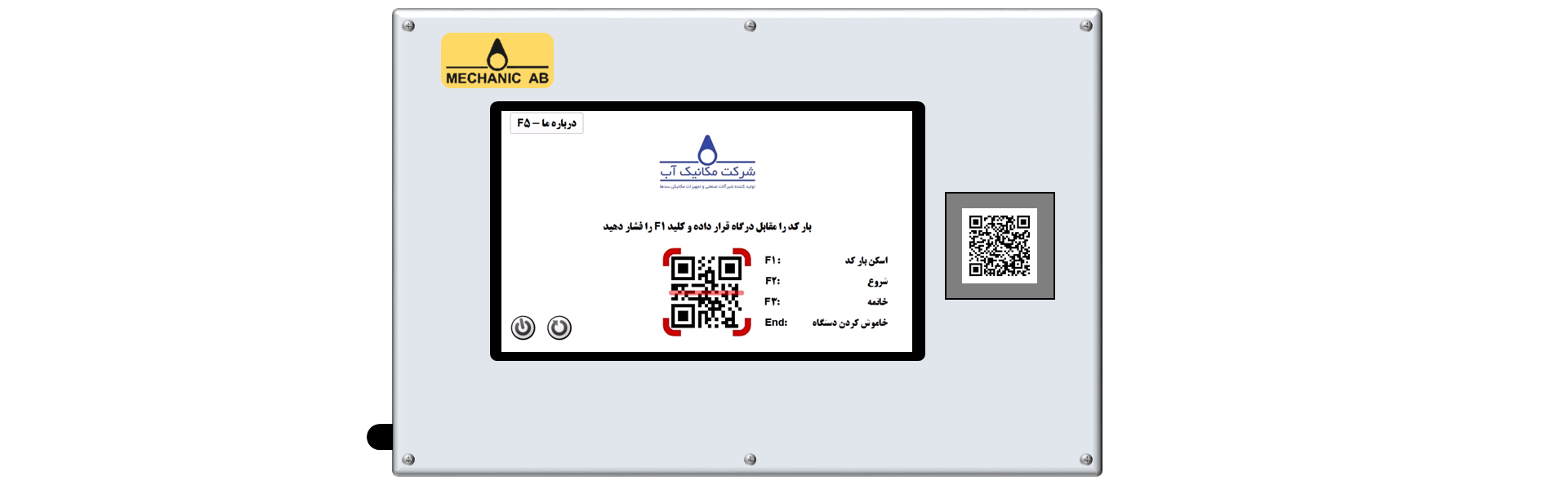
Present the document to the camera, scan the QR code, load the relevant product page and update its information. Touch input is supported, with a keyboard and mouse available as alternatives.
Scan the product document
Retrieve its production record
Review and update the build sheet
A purpose-built device interface
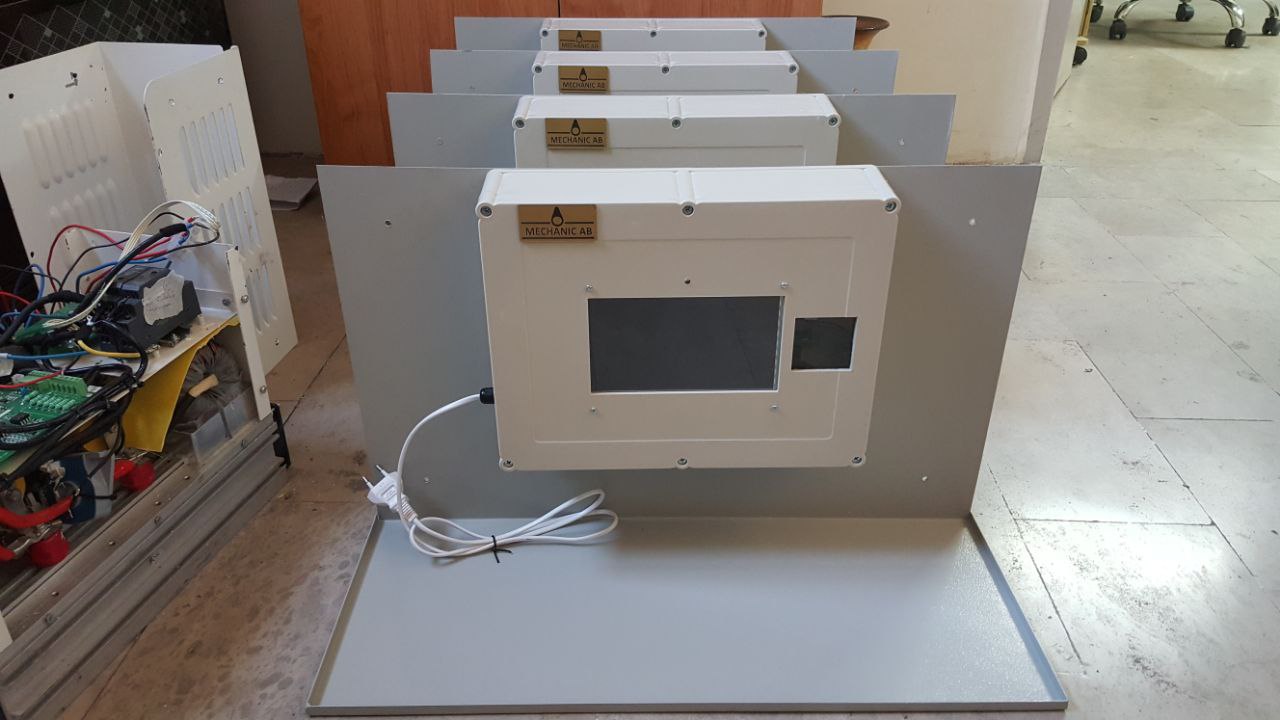
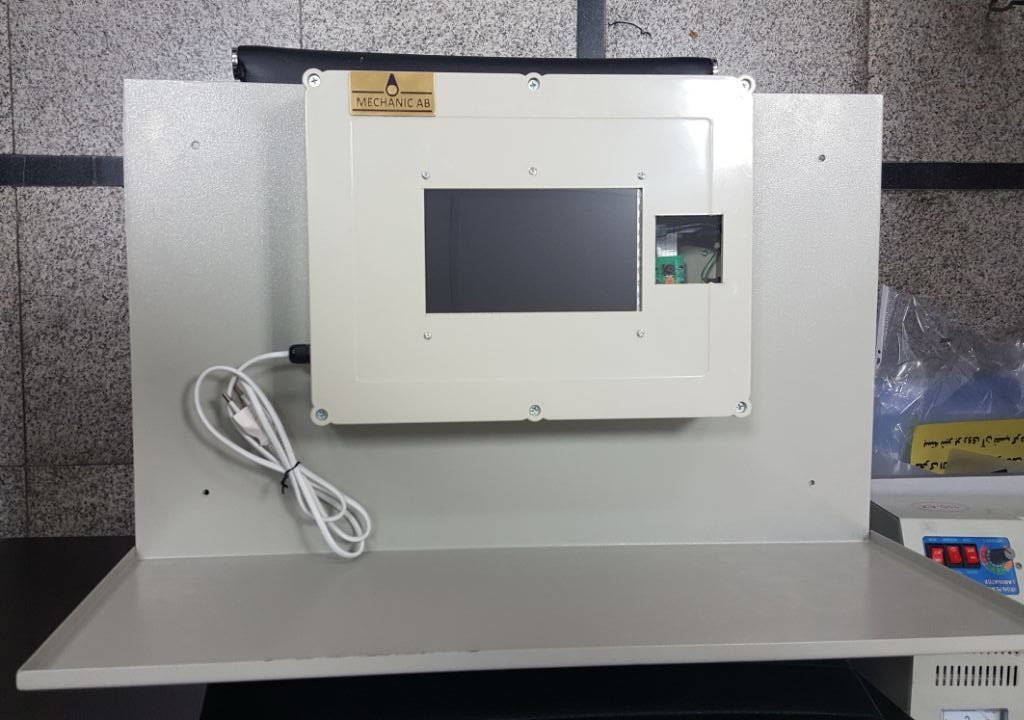
The Python/PyQt application provides scan controls, a main menu, troubleshooting views and camera setup. The project gallery shows these interfaces on the physical terminals and several assembled devices together.
Administration over the local network
A separate device-control panel provides status, settings and control commands through the network. The demonstration recordings show device development and the remote maintenance workflow.
Software, hardware & tools.
Software
- Python terminal application
- Camera scanning & server integration
Hardware
- Raspberry Pi
- Pi Camera
- Touchscreen
- Keyboard/mouse support
- Custom device enclosure
Technology stack
- Embedded Linux
- Production workflows
- Device management
Project contributions.
- Hossein Aalamshahi
- System design
Working on a related challenge?
Get in touch about Python, embedded systems or a research opportunity.
Offline RFID Attendance
Embedded systems